Workiz built its reputation on the phone. A built in phone system, call recording, ad to call tracking so you know which campaign actually drove a lead, skill based call routing, and an AI answering feature on its higher tiers. For a locksmith, garage door, junk removal, or appliance repair business that lives on inbound calls, that is a genuinely strong pitch.
Two things have changed the calculation for a lot of teams looking at Workiz this year. First, Workiz no longer publishes pricing on its own site. Every named plan, Standard, Pro, and Ultimate, is quote only behind a demo request, and phone lines, SMS credits, and payment processing are billed separately on top of whatever number you get. Second, once you look past the phone system, Workiz’s automation, online booking, and customer portal are noticeably lighter than what newer tools now include at a published, flat price.
If you called Workiz for the phone features and are now stuck figuring out what it actually costs, or you never needed the call center in the first place, this guide compares seven alternatives. For each one you will see who it is built for, what it actually costs, and the honest trade offs, plus a real cost comparison for a five person crew.
What Workiz actually costs
Workiz used to list rates for its Kickstart, Standard, and Pro plans directly on its pricing page. That changed in 2026. Today the site shows a free Lite plan capped at two users, and every paid plan routes to a demo request instead of a number.
| Plan | Monthly price | Users included |
|---|---|---|
| Lite | Free | 2 |
| Standard | Quote only, demo required | Not published |
| Pro | Quote only, demo required | Not published |
| Ultimate | Quote only, demo required | Not published |
Phone lines, SMS credits, and payment processing are billed separately from the base plan on every paid tier, so the number you get on a call is rarely the full monthly cost.
Quick comparison table
| Tool | Best for | Entry price, billed monthly | Free trial |
|---|---|---|---|
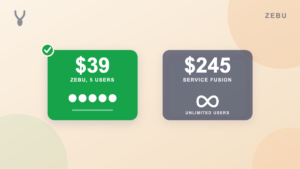
| Zebu | Published pricing, automation, and QuickBooks sync without a phone system you may not need | $39 per month, up to 5 users | 14 days, no card |
| Workiz | Businesses that run on inbound calls | Free for 2 users, then quote only | 7 days |
| Jobber | Proven, polished app for solo and small teams | $49 per month, 1 user ($39 on annual) | 14 days, no card |
| Housecall Pro | Established teams that want a large, widely used app | $79 per month, 1 user | 14 days, no card |
| Kickserv | The simplest possible system | $60 per month, 5 users | 30 days |
| Service Fusion | Larger teams that want unlimited users on one flat plan | $245 per month, unlimited users | Demo only |
| FieldPulse | Multi trade teams that want per technician plans | Custom, priced per technician | Yes |
| ServiceTitan | Large contractors, 20 or more technicians | Custom, often $250 or more per tech, plus implementation | No |
Prices reflect each vendor’s own public pricing page, on the entry plan billed month to month. Annual billing is cheaper on most of these tools. Workiz, FieldPulse, and ServiceTitan do not publish pricing and require a sales conversation for a real number. Always confirm current rates directly with the vendor.
What a five person crew actually pays
Since Workiz will not give a number without a demo, the table below leaves it out and focuses on the alternatives you can actually price today.
| Tool | Plan for 5 users | Monthly cost |
|---|---|---|
| Zebu | Starter, 5 users included | $39 |
| Kickserv | Start, 5 users included | $60 |
| Jobber | Team Connect, 5 users | $139 to $169 |
| Housecall Pro | Essentials, 5 users included | $189 |
| Service Fusion | Starter, unlimited users | $245 |
| ServiceTitan | Custom, 5 technicians | $1,250 or more, plus a separate implementation fee |
FieldPulse and Workiz are left out of this table for the same reason: neither will quote a number without a sales call, so there is nothing firm to compare.
1. Zebu
Best for: Teams that do not run heavily on inbound calls, or that want a published price and stronger automation and QuickBooks sync than Workiz’s phone first design offers.
Zebu takes the opposite approach from Workiz. Instead of centering the product on a phone system, Zebu centers it on automating the parts of the job that happen after the call: scheduling with a drag and drop dispatch board that lays out real driving routes on a map, recurring jobs for contract work, jobs that span more than one visit, branded quote and invoice PDFs, an online booking calendar so customers can grab a time slot themselves, and a customer portal where they approve quotes and pay online. Two way QuickBooks Online sync is included on every plan and covers customers, invoices, payments, refunds, and processing fee splitting automatically, something Workiz does not offer at all.
Where Workiz leans on call tracking and AI answering to save a business owner time on the phone, Zebu leans on automated reminders, on my way notices, job follow ups, and booking confirmations to save that same time after the call happens. There is also an AI chat assistant that answers common pricing and availability questions on your own request form, which is a different piece of automation than Workiz’s AI call answering, aimed at web traffic instead of the phone.
Pricing: Starter $39 per month (up to 5 users), Growth $89 per month (up to 15 users), Pro $159 per month (up to 30 users). Additional users are $7 per month each. No implementation fee. Free 14 day trial, no credit card required.
Pros:
- Published pricing on the page, no demo request needed to see a real number
- A real drag and drop dispatch board with driving routes, not a basic calendar
- QuickBooks Online sync included on every plan, something Workiz does not offer
- Automated client reminders, on my way notices, and booking confirmations on every plan
- Online booking calendar and customer portal on every plan
Cons:
- No built in phone system, call recording, or ad to call tracking for businesses that live on inbound calls
- Text messaging is available after a one time carrier registration, and billed per message, so it is not a built in call center
- The free trial is 14 days, shorter than Kickserv’s 30 day trial
See a full side by side at Zebu vs Workiz.
2. Jobber
Best for: A solo operator or small team that wants a polished, well supported app with years of refinement behind it.
Jobber covers quoting, scheduling, invoicing, and payments, and it is one of the most recognized names in the category. Unlike Workiz, it publishes its pricing directly, and its mobile app and support community are both mature and well documented. It has no built in phone system or call tracking, so if that is specifically what drew you to Workiz, Jobber is not a direct swap for that piece.
Pricing: Core $49 per month (1 user, or $39 on an annual commitment), Connect $139 per month, Grow $199 per month, Plus $499 per month. Extra users $29 per month each. 14 day free trial, no card.
Pros:
- Published pricing, no sales call required to see a number
- Polished, well documented app with a large support community
- Strong for one to two person crews at the entry price
Cons:
- Per seat pricing gets expensive fast for a team of five or more
- No phone system, call recording, or ad tracking of any kind
- Automation and texting features are reserved for higher tiers
See the full Jobber alternatives comparison for more detail.
3. Housecall Pro
Best for: Established home service businesses that want a large, widely used app with a broad integration library, minus the phone system.
Housecall Pro covers scheduling, dispatching, estimates, invoicing, online booking, and marketing, and it has an active community and a large integration library. Like Workiz it offers a real self serve trial and clear published pricing on most tiers, but it does not build its identity around inbound call handling the way Workiz does.
Pricing: Basic $79 per month (1 user), Essentials $189 per month (5 users), MAX $329 per month (8 users). 14 day free trial, no card.
Pros:
- Published pricing you can see without a demo
- Strong mobile apps with an offline mode
- Large library of integrations and a built in consumer financing option
Cons:
- Costs climb quickly once you add users and premium features
- No built in phone system or call tracking
- Automation and reminder features sit on higher tiers
See the full Housecall Pro alternatives comparison for more detail.
4. Kickserv
Best for: A very small team that wants the simplest possible tool and the longest free trial on this list.
Kickserv covers leads, estimates, scheduling, and invoicing with a long standing QuickBooks integration and a 30 day free trial, the longest of any tool here. It is a much smaller step down in complexity from Workiz than most of the other alternatives, without the call center features.
Pricing: Start $60 per month (5 users), Run $119 per month (10 users), Scale $199 per month (20 users). QuickBooks Online included on Start; QuickBooks Desktop needs the Run plan plus a $50 a month add on. 30 day free trial.
Pros:
- Published pricing with no demo required
- Longest free trial on this list at 30 days
- Simple enough that there is not much to learn
Cons:
- No phone system, call recording, or ad tracking
- Basic calendar scheduling, not a real dispatch board
- Automation limited to a handful of reminder emails and texts
See the full Kickserv alternatives comparison for more detail.
5. Service Fusion
Best for: Larger teams that add and remove staff often and want unlimited users on one flat plan.
Service Fusion takes a different approach to pricing than either Workiz or Kickserv: one flat monthly rate with unlimited users, so hiring or losing a technician never changes the bill. It also includes a built in phone module on its plans, which is closer to Workiz’s call focus than any other tool on this list, though it is not the primary identity of the product the way it is for Workiz.
Pricing: Starter $245 per month, Plus $382 per month, Pro $627 per month, all with unlimited users, all month to month. Demo only, no self serve trial.
Pros:
- Unlimited users on every plan, useful if headcount changes often
- Includes a phone module, closer to Workiz’s call focus than most alternatives
- Predictable cost as headcount grows
Cons:
- Considerably more expensive than most alternatives for a small crew
- No self serve trial; requires a demo, same as Workiz
- Interface feels dated compared to newer tools
6. FieldPulse
Best for: Growing multi trade shops that want per technician plans and strong job costing.
FieldPulse is priced per technician and, like Workiz’s current model, does not publish rates on its own site. It has stronger estimating and job costing tools than Workiz, aimed at multi trade operations actively growing headcount rather than businesses centered on inbound call volume.
Pricing: Custom, priced per technician, with a real cost typically in the low hundreds per month for a small team. Trial available, custom quote required for full pricing.
Pros:
- Strong estimating and job costing for multi trade shops
- A real step up path if you expect to keep adding technicians
- Trial available without a full demo first
Cons:
- No published pricing, same gap as current Workiz plans
- Per technician pricing climbs as you grow
- No built in phone system or call tracking
7. ServiceTitan
Best for: Large contractors running 20 or more technicians across multiple locations.
ServiceTitan sits at the far end of the market from Workiz’s small business focus. It does not publish pricing, and real quotes commonly run $250 or more per technician per month, plus a separate implementation fee and an onboarding process measured in months, not days. It does include serious call center and dispatch tooling, which overlaps with what drew some teams to Workiz in the first place, just built for a much larger operation.
Pricing: Custom, often $250 or more per technician per month, plus an implementation fee that runs from several thousand to tens of thousands of dollars. No self serve trial.
Pros:
- Deep call center tooling and enterprise reporting
- Built for large, multi location operations
- Extensive feature depth for complex commercial and residential work
Cons:
- No published pricing and no self serve trial, same as current Workiz plans
- A separate implementation fee, often substantial
- Onboarding measured in months, a large jump from a same day signup
See the full ServiceTitan alternatives comparison for more detail.
How to choose the right Workiz alternative
- Do you actually need the phone system? If most of your jobs start with a ringing phone and you rely on call tracking, recording, or AI answering day to day, Workiz or Service Fusion’s phone module are the closest fits. If most jobs come from a booking form, referrals, or repeat customers, a tool built around automation and QuickBooks sync, like Zebu, will likely serve you better and cost less.
- Do you want to see a real price before you talk to a salesperson? Zebu, Jobber, Housecall Pro, Kickserv, and Service Fusion all publish pricing you can see today. Workiz, FieldPulse, and ServiceTitan require a demo for a real number.
- How many users do you need, and does the pricing model punish growth? Per seat pricing on tools like Jobber gets expensive fast for a growing crew. Flat plans with included users, like Zebu’s or Kickserv’s, or unlimited user plans like Service Fusion’s, avoid that.
- Does it sync cleanly with QuickBooks? Zebu includes two way QuickBooks Online sync, covering invoices, payments, refunds, and fee splitting, on every plan at no extra cost. Confirm what a given competitor actually syncs, not just whether it says QuickBooks integration somewhere on the page.
- What does switching actually cost you in time? A same day signup with a CSV import of your existing client and job history beats re entering everything by hand.
For a deeper walkthrough of these criteria, see how to choose field service management software.
How to move off Workiz without losing your history
- Export your client list, job history, and invoices before you cancel Workiz, even if you have not picked a new tool yet.
- Confirm the new tool actually imports that data, not just your contacts. Zebu imports your client list, job and invoice history, and quotes from a CSV export.
- Move active and upcoming jobs in first, then bring over older records as you have time.
- Give your team a short trial run in the new app before your Workiz subscription ends, so nothing falls through the gap between the two.
- Tell customers nothing changes on their end. Quotes, invoices, and payment links still arrive the same way.
See the full guide on switching field service software without losing your data.
Frequently asked questions
How much does Workiz cost? Workiz no longer publishes pricing on its own site. There is a free Lite plan for up to two users. Its Standard, Pro, and Ultimate plans are all quote only, gated behind a demo request, and phone lines, SMS credits, and payment processing are billed separately from the base plan.
Why did Workiz stop publishing its prices? Workiz has not said publicly. The plans and features are still listed on its site, but the dollar figures were removed at some point in 2026 in favor of a demo request. If you had an older quote or saw a specific number elsewhere, confirm it directly with Workiz, since it may no longer be current.
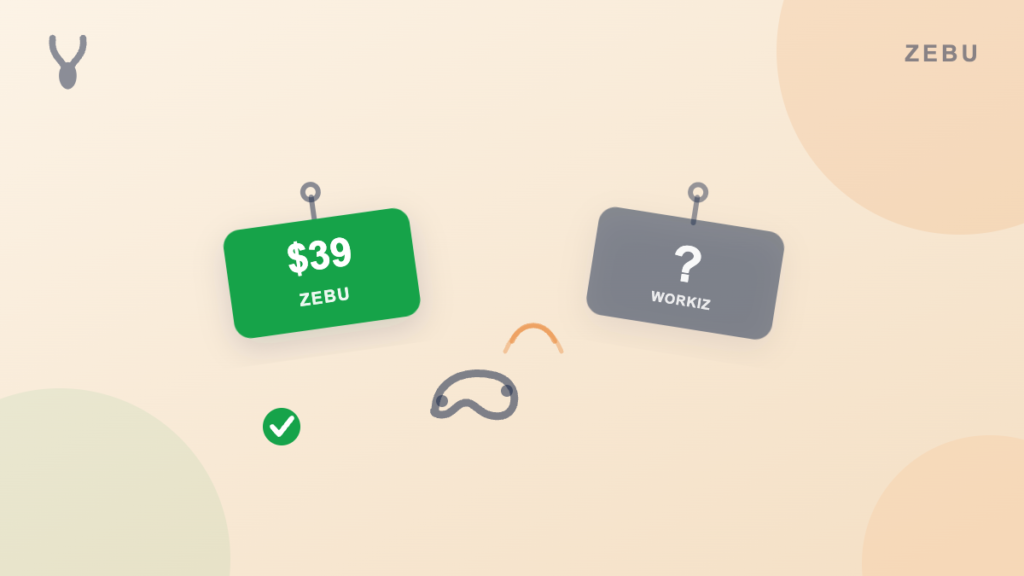
Is Zebu cheaper than Workiz? Zebu publishes its pricing at $39 a month for five users. Workiz does not publish a comparable number for its paid plans, so a direct comparison requires getting a quote from Workiz first. Workiz’s own free Lite plan, capped at two users, has no direct equivalent on Zebu’s side since Zebu’s lowest paid tier already includes five.
Does Zebu have a phone system like Workiz? No. Workiz’s built in phone system, call recording, and ad to call tracking are its main strength and Zebu does not try to match them. Zebu’s AI assistant works on your web booking form, not on phone calls, and text reminders are available after a one time carrier registration.
What does Zebu do better than Workiz? Published pricing with no demo required, automated client reminders, on my way notices, and follow ups on every plan, a fuller online booking calendar and customer portal, and two way QuickBooks Online sync at no extra charge.
Can I import my data from Workiz into Zebu? Yes. Zebu imports your client list, job and invoice history, and quotes from a CSV export. The Pro plan includes a hands on migration handled by our team.
The bottom line
Workiz earns its place for a business that genuinely lives on the phone and wants call tracking, recording, and AI answering built into the same tool that schedules the job. But once you look past the phone features, its automation, online booking, and customer portal are lighter than what several published, flat priced alternatives now include, and getting an actual number out of Workiz takes a demo call.
If you want a published price, stronger automation, and QuickBooks Online sync included from the first plan, start a free 14 day trial of Zebu. No credit card, no demo required.