Short answer: the best Housecall Pro alternative for a small crew is Zebu if price and QuickBooks sync matter most. Zebu is $39 a month for five users with QuickBooks Online sync on every plan, while Housecall Pro starts at $79 a month and only includes QuickBooks sync on its $189 Essentials plan. Jobber is the closest like for like swap. See our Zebu vs Housecall Pro comparison for a line by line breakdown.
Housecall Pro is one of the best known names in home service software, and it has real strengths: a polished mobile app, a large marketplace of integrations, and a brand a lot of technicians already recognize. But it is not the cheapest way to run a small crew, and some of what people expect as standard, like QuickBooks sync, only shows up once you move up a plan.
If you are shopping for a Housecall Pro alternative in 2026, this guide compares seven strong options against Housecall Pro’s own current pricing. For each one you will see who it is best for, what it actually costs, and the honest trade offs. There is also a real cost comparison for a five person crew and a short note on what switching actually involves.
Quick comparison table
| Tool | Best for | Entry price, billed monthly | Free trial |
|---|---|---|---|
| Zebu | Automation, QuickBooks sync included from day one, best value | $39 per month, up to 5 users | 14 days, no card |
| Housecall Pro | A large app with a wide integration marketplace | $79 per month, 1 user | 14 days, no card |
| Jobber | Proven, polished app for solo and small teams | $49 per month, 1 user ($29 paid annually) | 14 days, no card |
| Kickserv | A simple system for very small teams | $60 per month, 5 users | 30 days |
| Service Fusion | Larger teams that want unlimited users | $245 per month, unlimited users | Demo only |
| Workiz | Businesses that run on inbound calls and AI call answering | Quote only, no published rate | Yes |
| FieldPulse | Multi trade teams that want per seat plans | Custom, priced per seat | Yes |
| ServiceTitan | Large contractors, 20 or more technicians | Custom, per technician | No |
Prices reflect each vendor’s own public pricing page as of September 2026, on the entry plan billed month to month. Annual billing is cheaper on most of these tools. Workiz, FieldPulse, and ServiceTitan do not publish pricing publicly and require a sales conversation for a real number. Always confirm current rates and what each plan includes directly with the vendor.
What a five person crew actually pays
A one seat sticker price does not tell you much once you have a real crew. Here is the monthly cost to cover five users, on month to month billing, using each vendor’s own published rates. Workiz, FieldPulse, and ServiceTitan are left out of this table because none of the three will quote a number without a sales call.
| Tool | Plan for 5 users | Monthly cost |
|---|---|---|
| Zebu | Starter, 5 users included | $39 |
| Kickserv | Start, 5 users included | $60 |
| Jobber | Connect, 5 users | $139 |
| Housecall Pro | Essentials, 5 users included | $189 |
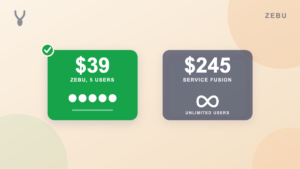
| Service Fusion | Starter, unlimited users | $245 |
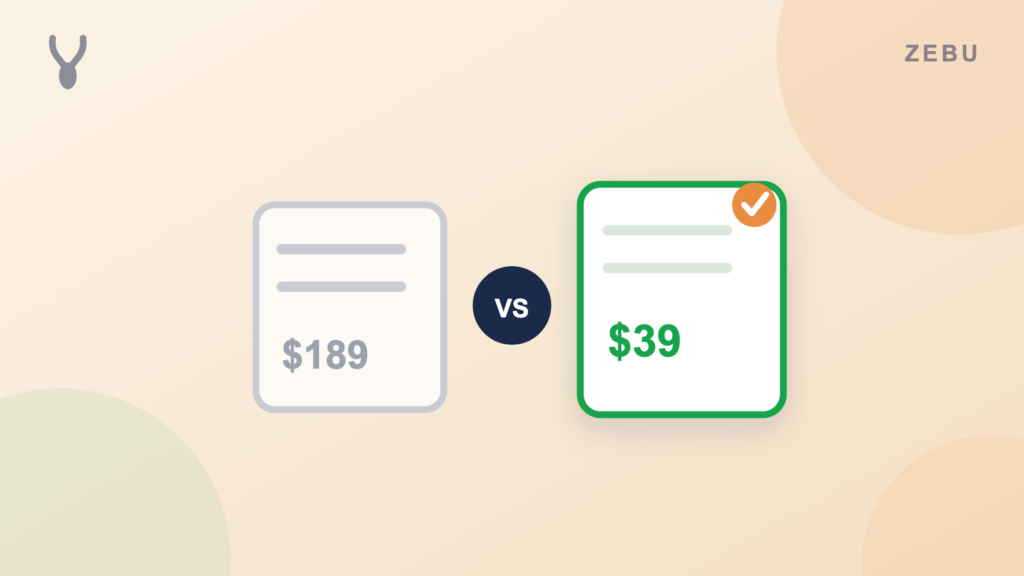
That is a five times difference between Zebu and Housecall Pro for the same five seats, and Zebu’s $39 already includes QuickBooks Online sync. On Housecall Pro, QuickBooks sync is not part of the $79 Basic plan at all. You only get it once you move up to Essentials, the same $189 plan in this table, so a Housecall Pro crew that wants accounting sync has no cheaper path to it.
1. Zebu
Best for: Small and midsize field service teams that want automation, QuickBooks sync, and the most software for their money, without paying more to unlock accounting integration.
Where Zebu is best in class: value, and treating QuickBooks sync as a standard feature instead of an upsell. The Starter plan at $39 per month includes up to five users, real two way QuickBooks Online sync, and the automation most competitors either charge extra for or reserve for a higher tier.
Zebu covers the full job cycle. You get scheduling, a drag and drop dispatch board with real driving routes and maps, recurring jobs for contract work, jobs that span more than one visit, branded quote and invoice PDFs, a customer portal where clients approve quotes and pay online, and Stripe payments with saved cards, deposits, tips, and coupon codes. Accounting syncs to QuickBooks Online automatically, including customers, invoices, payments, refunds, and processing fee splitting, on every plan, starting with Starter. Full pricing and what is included at each tier is on the pricing page.
Appointment reminders, on my way notices, job follow ups, and booking confirmations go out on their own, and customers can approve quotes and pick a real time slot through an online booking calendar. There is also an AI chat assistant that answers common pricing and availability questions on your request form, included on every plan, but it is one feature among many, not the point of the product.
Pricing: Starter $39 per month (up to 5 users), Growth $89 per month (up to 15 users), Pro $155 per month (up to 30 users). Additional users are $5 per month each. Free 14 day trial, no credit card required.
2. Housecall Pro
Best for: Teams that want a large, established integration marketplace and are willing to pay for it as they grow.
Housecall Pro’s Basic plan starts at $79 per month for a single user and covers core scheduling, dispatching, invoicing, and online payments, plus review management and online booking. It is a real, capable starting point, and the mobile app is genuinely polished.
The trade off shows up fast once a crew grows past one person or wants accounting sync. QuickBooks Online integration is not available on Basic. You need Essentials, at $189 per month for up to five users, to unlock it, along with route features, flat rate pricing, checklist automations, photo reports, and GPS tracking. Additional users on Essentials cost $100 per month each. The Max plan, at $329 per month for up to eight users, adds a sales proposal tool, recurring service plans, route optimization, and open API access, with additional users at $75 per month each.
Pricing: Basic $79 per month (1 user), Essentials $189 per month (up to 5 users), Max $329 per month (up to 8 users). Annual billing brings those down to $59, $149, and $299. 14 day free trial, no credit card required.
3. Jobber
Best for: Solo operators and small teams that want a proven, widely reviewed app and do not mind paying per user from the start.
Jobber’s Core plan is $49 per month for one user, dropping to $29 with annual prepayment, and QuickBooks Online sync is included on every tier, not gated behind a higher plan. For a deeper look at Jobber specifically, see our guide to Jobber alternatives. That is a real strength over Housecall Pro. Where Jobber gets expensive is scaling past one seat: every additional user is $29 per month on any plan, so a five person crew on Connect runs $139 per month before considering the annual discount, and a ten person crew on Grow runs $199 per month.
Jobber covers quoting, scheduling, invoicing, online booking, and client communication, with a large user base and strong reviews behind it. It is a safe, well tested choice if the per seat pricing works for your headcount.
Pricing: Core $49 per month (1 user, no commitment), Connect $139 per month (5 users), Grow $199 per month (10 users), Plus $499 per month (15 users). Additional users are $29 per month on every tier. 14 day free trial, no credit card required.
4. Kickserv
Best for: Very small teams that want a simple, no frills tool and do not need a deep feature set.
Kickserv’s Start plan is $60 per month and includes five users, QuickBooks Online sync, and automated email and text reminders right out of the gate, which is more generous than either Housecall Pro or Jobber at a similar price point. The interface is simpler and older feeling than the newer tools on this list, and the deeper automation, online booking, and reporting that Zebu and Housecall Pro offer are thinner here.
QuickBooks Desktop, not Online, requires the $119 per month Run plan and an extra $50 per month add on, which is worth knowing if your bookkeeper is still on Desktop.
Pricing: Start $60 per month (5 users), Run $119 per month (10 users), Scale $199 per month (20 users). 30 day free trial.
See the full Zebu vs Kickserv comparison for a line by line breakdown.
5. Service Fusion
Best for: Larger teams that want every user included with no per seat math at all.
Service Fusion’s headline feature is unlimited users on every plan. The Starter plan is $245 per month, billed monthly, with no cap on how many technicians or office staff you add, and QuickBooks integration for both Online and Desktop is included. For a large team, that flat price can beat per user competitors quickly. For a small crew, $245 is a lot to pay before you have even added your third technician.
Pricing: Starter $245 per month, Plus $382 per month, Pro $627 per month, all with unlimited users. Annual billing brings those down to $208, $325, and $533. Demo required, no self serve trial listed.
6. Workiz
Best for: Businesses built around inbound phone calls, especially ones that want an AI answering feature for missed calls.
Workiz leans hard into call handling: built in phone and SMS tools, AI scheduling, and an AI call answering feature on its higher tiers. As of this writing, Workiz no longer publishes dollar pricing on its own site. Its plans, named Standard, Pro, and Ultimate, are all quote only, gated behind a demo request. That is a real change from earlier in 2026, when Workiz did list public rates, and it makes Workiz the hardest tool on this list to compare without talking to a salesperson first.
Pricing: Not published. Contact Workiz for a quote. 14 day free trial offered.
7. FieldPulse
Best for: Multi trade operations that want to buy licenses per seat and mix full access and field only users.
FieldPulse prices around seats rather than a flat plan: how many full access users you need, how many field only technician seats, and your contract length all factor into a custom quote. The three named tiers, Essentials, Professional, and Enterprise, all route to a sales conversation rather than a listed price. That flexibility can suit a business with a very specific mix of office and field staff, but it means you cannot get a real number without a call.
Pricing: Custom, priced per seat. Contact FieldPulse for a quote.
See the full Zebu vs FieldPulse comparison for a line by line breakdown.
8. ServiceTitan
Best for: Large contractors with 20 or more technicians who need enterprise level reporting and call center features.
ServiceTitan is built for scale, with per technician pricing, deep reporting, and call center style dispatch. It is genuinely the most powerful tool on this list for a large operation, and genuinely the wrong fit for a small or midsize crew: pricing is not published, sales cycles are long, and the platform is built around a size of business most readers of this guide are not yet running.
Pricing: Custom, per technician. Contact ServiceTitan for a quote.
Switching is easier than it looks
The biggest reason businesses stay on a tool that no longer fits is the fear of losing years of client records, job history, and invoices in the move. Zebu brings your client list, job history, quotes, and invoices with you, and on the Pro plan our team can run the entire migration for you at no extra cost. See the full breakdown in our guide on switching field service software without losing your data.
Common questions
Is Housecall Pro or Zebu cheaper for a small crew?
For a five person crew, Zebu Starter is $39 per month and Housecall Pro Essentials is $189 per month for the same five seats. Zebu also includes QuickBooks Online sync at that price. Housecall Pro does not include QuickBooks sync until Essentials, so there is no cheaper Housecall Pro plan that includes it.
Does Housecall Pro include QuickBooks integration on every plan?
No. QuickBooks Online sync is only available starting on the Essentials plan, at $189 per month month to month for up to five users. The $79 Basic plan does not include it.
Which Housecall Pro alternative has the most transparent pricing?
Zebu, Jobber, Kickserv, and Service Fusion all publish real dollar prices on their own websites. Workiz, FieldPulse, and ServiceTitan require a sales call to get an actual number.
What is the cheapest Housecall Pro alternative for five users?
Zebu, at $39 per month for up to five users, is the least expensive option on this list that includes QuickBooks sync, automation, and a customer portal at that price.
What is the best Housecall Pro alternative for HVAC companies?
Zebu, Jobber, and Service Fusion all support HVAC work alongside other trades rather than being built around one narrow category. Zebu adds recurring jobs for maintenance agreements, jobs that span more than one visit for larger installs, and QuickBooks Online sync on every plan starting at $39 a month, which matters for an HVAC business billing service contracts and equipment jobs differently.
What is the best Housecall Pro alternative for plumbers?
Zebu, Jobber, Kickserv, and Service Fusion all work for plumbing businesses, not just home cleaning or handyman work. Zebu’s drag and drop dispatch board lays out real driving routes, useful for a plumbing crew juggling scheduled and emergency calls in the same day, and QuickBooks sync is included on every plan rather than gated behind a higher tier.
Can I move my client and job history from Housecall Pro to a new tool?
Yes. Most competitors, including Zebu, support importing a client list, job history, quotes, and invoices from an export of your current software. Zebu also offers a free white glove migration on its Pro plan, where a real person handles the move for you.
Do any of these tools charge extra for QuickBooks sync?
Housecall Pro gates it behind the Essentials plan. Kickserv includes QuickBooks Online but charges an extra $50 per month for QuickBooks Desktop on its Run plan and above. Zebu, Jobber, and Service Fusion include QuickBooks sync on every plan with no separate charge.
Find the right fit
Book a short demo to see how Zebu handles quoting, dispatch, QuickBooks sync, and payments in one place, or start a free 14 day trial with no card required.