
Most service businesses do not go looking for software until the current setup starts costing real time. A calendar for scheduling, a spreadsheet for quotes, a separate app for texting customers, and QuickBooks for the money. Each one works on its own. The problem is the gaps between them, where a job gets double booked, an invoice never goes out, or a customer calls the office because nobody told them the technician was running late.
Field service management software is meant to close those gaps by putting the whole job in one place, from the first call through to the paid invoice. Every product demo will tell you it does that. This is a checklist for working out which ones actually do.
Start with the workflow you run every day
Before comparing feature lists, write down the path a normal job takes at your business. For most appointment based trades it looks something like this. A lead comes in. Someone builds a quote. The customer approves it. The job gets scheduled and assigned to a technician. The work gets done. An invoice goes out. A payment comes in.
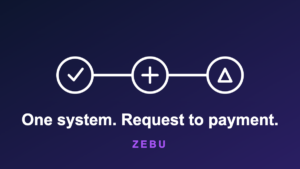
Now ask each vendor to show you that exact path in their product, in one sitting, without switching to a second tool. If the quote lives in one system and the schedule lives in another, or if getting paid means exporting a file into QuickBooks by hand, you have found a gap that will not go away after you sign up. The goal is one system that carries a job from lead to payment without anyone retyping anything.
Check what is included and what costs extra
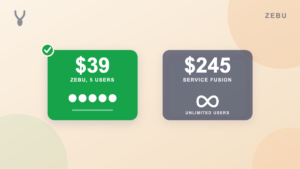
Two products can advertise the same feature and price it completely differently. QuickBooks Online sync is the clearest example. Most field service software can connect to QuickBooks, but the sync is often locked behind a higher plan. One well known competitor requires its 119 dollars a month tier or above before you can turn it on at all. Another includes it only from its middle plan up, not on its cheapest one.
The same pattern shows up with customer portals, automatic reminders, reporting, and marketing tools. Ask for the full price of the plan that has everything you actually need, not the sticker price of the entry plan. A business that is just getting started is usually the one that can least afford to lose hours to manual bookkeeping, so being asked to pay more to unlock the feature that saves those hours is backwards.
The technician phone matters more than the office dashboard
The person who spends the most time in the software is the technician, and they are using it on a phone, often with a bad signal. Look at the mobile app on its own, not as an afterthought to the desktop view.
A good technician app shows today’s route in order, keeps working when the connection drops and syncs back up when it returns, lets the technician mark themselves on the way with one tap so the customer gets a heads up automatically, and carries the job’s checklist and customer notes so nobody has to call the office to ask what the job actually involves.
Scheduling you will actually use
Scheduling is where a dispatcher spends their morning, so it has to be fast. The test is simple. Can you see the whole team’s week on one screen, drag a job to a different day or a different technician, and have it reschedule in one move, with the option to notify the customer before anything sends. If moving a job takes more than a few seconds, or if double bookings are still possible, the schedule will fight you every day.
Getting paid without chasing anyone
The reason to invoice from the same system that holds the job is that everything the invoice needs is already there. The line items, the customer, the deposit that was already collected. From there, taking a card or a bank payment, sending a payment link the customer can use themselves, and having every invoice and payment post to QuickBooks on its own is what turns collections from a weekly chore into something that mostly runs itself.
How fast can you actually go live
The last question is about switching. Ask whether you can import your existing client list and your price book from a spreadsheet or your current software, and how long a typical business takes to get running. If the answer involves rebuilding your price book by hand or weeks of setup calls before you can send a single quote, factor that cost in. The right tool should have you sending real quotes the same week, not the same quarter.
A checklist to bring to every demo
- Does a job go from lead to paid invoice in a single system, with no retyping between steps.
- What does the plan cost once it includes everything you need, QuickBooks sync included.
- Does the technician app work with no signal and keep the customer informed on its own.
- Can a dispatcher reschedule a job in one move, and choose whether to notify the customer.
- Do invoices and payments post to your books automatically.
- Can you import your clients and price book and be live within a week.
No product will be perfect on every line. But a tool that handles the daily workflow end to end, is honest about what is included, and puts real thought into the technician’s phone will save a growing business more time than any single feature on a comparison chart. If a vendor cannot show you the whole path in one demo, that tells you something too.
Zebu is built around exactly this list. To see the full path from lead to payment on a live schedule, book a walkthrough, or start a free trial and try it on your own jobs first.