Kickserv is one of the simplest field service tools on the market, and for a lot of very small teams, that is exactly the appeal. It covers leads, estimates, scheduling, and invoicing, it has a long standing QuickBooks integration, and its 30 day free trial is the longest of any tool in this comparison. There is not much to learn.
That simplicity is also where teams outgrow it. Kickserv’s scheduling is a basic calendar, not a real dispatch board. Its automation is limited to a handful of reminder emails and texts. There is no online booking calendar or customer portal to speak of, and reporting stays thin compared to newer tools built around the whole quote to payment cycle, not just invoicing.
If you picked Kickserv for the price and the simplicity, and you are now finding yourself doing more by hand than you expected, this guide compares seven alternatives. For each one you will see who it is built for, what it actually costs, and the honest trade offs, plus a real cost comparison for a five person crew.
What Kickserv actually costs
Kickserv prices by plan, with the number of included users going up on higher tiers.
| Plan | Monthly price | Users included |
|---|---|---|
| Start | $60 | 5 |
| Run | $119 | 10 |
| Scale | $199 | 20 |
QuickBooks Online sync is included on the Start plan. QuickBooks Desktop sync requires the $119 Run plan plus an extra $50 a month add on. There is no per technician overage on the entry plan the way there is on Jobber, but the automation, dispatch, and reporting gap only widens as you compare it to what a similarly priced tool now includes.
Quick comparison table
| Tool | Best for | Entry price, billed monthly | Free trial |
|---|---|---|---|
| Zebu | Automation, dispatch, and reporting at a lower price than Kickserv | $39 per month, up to 5 users | 14 days, no card |
| Kickserv | The simplest possible system, longest trial | $60 per month, 5 users | 30 days |
| Jobber | Proven, polished app for solo and small teams | $49 per month, 1 user ($39 on annual) | 14 days, no card |
| Housecall Pro | Established teams that want a large, widely used app | $79 per month, 1 user | 14 days, no card |
| Workiz | Businesses that run on inbound calls | Free for 2 users, then $187 per month | 7 days |
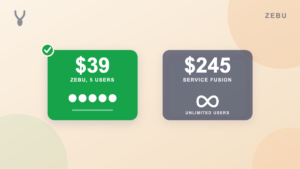
| Service Fusion | Larger teams that want unlimited users on one flat plan | $245 per month, unlimited users | Demo only |
| FieldPulse | Multi trade teams that want per technician plans | Custom, priced per technician | Yes |
| ServiceTitan | Large contractors, 20 or more technicians | Custom, often $250 or more per tech, plus implementation | No |
Prices reflect each vendor’s own public pricing page, on the entry plan billed month to month. Annual billing is cheaper on most of these tools. ServiceTitan and FieldPulse do not publish pricing. Always confirm current rates directly with the vendor.
What a five person crew actually pays
Kickserv’s Start plan already includes five users, so the real question for a small crew is not just the sticker price, it is what that price buys. Here is the monthly cost for five users on each alternative.
| Tool | Plan for 5 users | Monthly cost |
|---|---|---|
| Zebu | Starter, 5 users included | $39 |
| Kickserv | Start, 5 users included | $60 |
| Jobber | Team Connect, 5 users | $139 to $169 |
| Workiz | Kickstart | Around $187 |
| Housecall Pro | Essentials, 5 users included | $189 |
| Service Fusion | Starter, unlimited users | $245 |
| ServiceTitan | Custom, 5 technicians | $1,250 or more, plus a separate implementation fee |
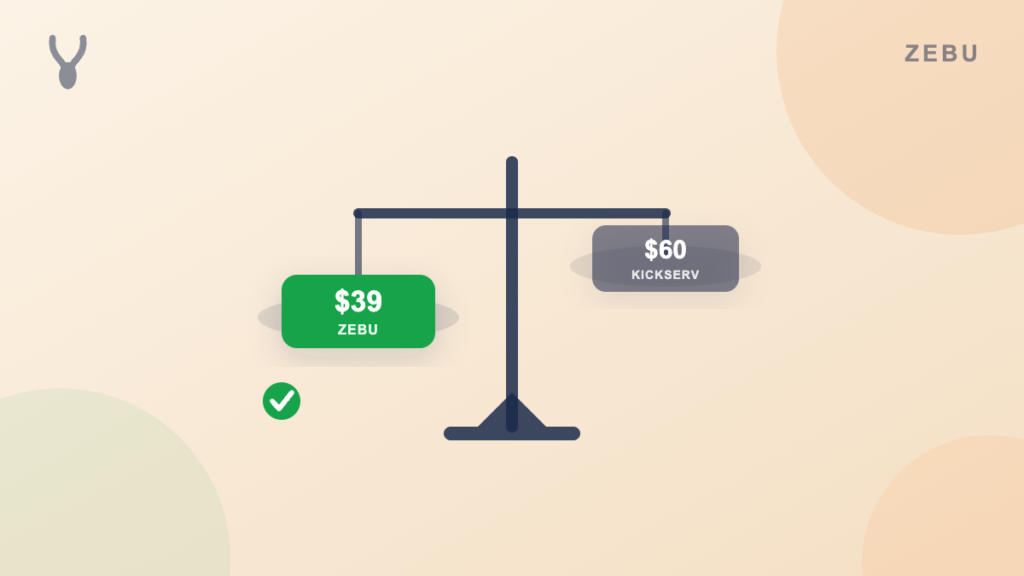
Zebu and Kickserv are the two closest tools on this list on price. Zebu is $21 a month cheaper for the same five seats, and includes a real dispatch board, automated reminders, an online booking calendar, and a customer portal on the entry plan, none of which Kickserv’s Start plan covers in full.
1. Zebu
Best for: Teams that picked Kickserv for the price and simplicity, and now want automation, a real dispatch board, and a customer portal without paying more for it.
Zebu is the closest competitor to Kickserv on price, and the gap in what is included is the reason most teams switch. The Starter plan at $39 per month, five users included, covers scheduling with a drag and drop dispatch board that lays out real driving routes on a map, recurring jobs for contract work, jobs that span more than one visit, branded quote and invoice PDFs, a customer portal where clients approve quotes and pay online, and Stripe payments with saved cards, deposits, tips, and coupon codes. QuickBooks Online sync is included on every plan, and covers customers, invoices, payments, refunds, and processing fee splitting automatically, with no add on fee the way Kickserv charges for QuickBooks Desktop.
Automation is where the two products diverge the most. Kickserv sends a handful of reminder emails and texts. Zebu automates appointment reminders, on my way notices, job follow ups, and booking confirmations, and gives customers a real online booking calendar to pick a time slot themselves, all included at the entry price. There is also an AI chat assistant that answers common pricing and availability questions on your request form, one feature among several, not something you have to use.
Pricing: Starter $39 per month (up to 5 users), Growth $89 per month (up to 15 users), Pro $155 per month (up to 30 users). Additional users are $5 per month each. No implementation fee. Free 14 day trial, no credit card required.
Pros:
- $21 a month cheaper than Kickserv for the same five users
- A real drag and drop dispatch board with driving routes, not a basic calendar
- Automated client reminders, on my way notices, and booking confirmations on every plan
- QuickBooks Online sync included on every plan, no separate add on fee
- Online booking calendar and customer portal on every plan
- No implementation fee, no sales call required to see pricing
Cons:
- Text messaging is available after a one time carrier registration and is billed per message
- The free trial is 14 days, shorter than Kickserv’s 30 day trial
- No built in call center or phone system for businesses that run heavily on inbound calls
See a full side by side at Zebu vs Kickserv.
2. Jobber
Best for: A solo operator or small team that wants a polished, well supported app with years of refinement behind it.
Jobber covers quoting, scheduling, invoicing, and payments, and it is one of the most recognized names in the category. Compared to Kickserv, it has a more developed mobile app and a larger support community, but the pricing model is different: Jobber charges per user, so a five person crew costs more than Kickserv’s five included seats.
Pricing: Core $49 per month (1 user, or $39 on an annual commitment), Connect $139 per month, Grow $199 per month, Plus $499 per month. Extra users $29 per month each. 14 day free trial, no card.
Pros:
- Polished, well documented app with a large support community
- No implementation fee or sales call to start
- Strong for one to two person crews at the entry price
Cons:
- Per seat pricing gets expensive fast for a team of five or more, unlike Kickserv or Zebu’s included users
- Automation and texting features are reserved for higher tiers
- No unlimited user option for larger crews
See the full Jobber alternatives comparison for more detail.
3. Housecall Pro
Best for: Established home service businesses that want a large, widely used app with a broad integration library.
Housecall Pro covers scheduling, dispatching, estimates, invoicing, online booking, and marketing, and it has an active community and a large integration library. Compared to Kickserv, it is a meaningfully deeper product, but the price reflects that: a five person crew runs $189 a month, more than triple Kickserv’s Start plan.
Pricing: Basic $79 per month (1 user), Essentials $189 per month (5 users), MAX $329 per month (8 users). 14 day free trial, no card.
Pros:
- Strong mobile apps with an offline mode
- Good marketing tools and a built in consumer financing option
- Large library of integrations
Cons:
- Costs climb quickly once you add users and premium features
- Some reviewers cite pushy upsells and slow support
- Automation and reminder features sit on higher tiers
See the full Housecall Pro alternatives comparison for more detail.
4. Workiz
Best for: Field service businesses that live on the phone and need call tracking, recording, and skill based routing.
Workiz is built around a phone system: you can track which ads drive calls, record conversations, and route them to the right technician, none of which Kickserv offers. There is a free Lite plan for up to two users, but the phone features, SMS credits, and AI answering that make Workiz worth choosing sit on the paid plans.
Pricing: Free Lite plan (2 users), then Kickstart around $187 per month, Standard around $229 per month, Pro around $270 per month. Phone lines, SMS, and payment processing cost extra. 7 day free trial.
Pros:
- Best in class built in phone and call analytics among small business tools
- Free tier for very small teams
- Good for locksmiths, junk removal, garage door, and similar phone driven trades
Cons:
- Paid plans start well above Kickserv’s Start plan, and add ons raise the real cost quickly
- Marketing and client portal features are lighter than Zebu or Housecall Pro
- Reporting is less polished
5. Service Fusion
Best for: Larger teams that add and remove staff often and want unlimited users on one flat plan.
Once a team outgrows Kickserv’s five included users on the Start plan, the next Kickserv tier, Run, still only includes ten. Service Fusion takes a different approach: one flat monthly price with unlimited users, so hiring or losing a technician never changes the bill.
Pricing: Starter $245 per month, Plus $382 per month, Pro $627 per month, all with unlimited users, all month to month. Demo only, no self serve trial.
Pros:
- Unlimited users on every plan
- Predictable cost as headcount grows
- No per user overage the way Kickserv’s higher tiers add users in blocks
Cons:
- Considerably more expensive than Kickserv or Zebu for a small crew
- Interface feels dated compared to newer tools
- No self serve trial; requires a demo
6. FieldPulse
Best for: Growing multi trade shops that want per technician plans and strong job costing.
FieldPulse is priced per technician and does not publish rates, a very different model from Kickserv’s flat, published plans. It has stronger estimating and job costing tools than Kickserv, aimed at multi trade operations that are actively growing headcount rather than staying small.
Pricing: Custom, priced per technician, with a real cost typically in the low hundreds per month for a small team. Trial available, custom quote required for full pricing.
Pros:
- Strong estimating and job costing for multi trade shops
- A real step up path if you expect to keep adding technicians
- More automation and reporting depth than Kickserv
Cons:
- No published pricing, so you cannot compare it at a glance the way you can with Kickserv or Zebu
- Per technician pricing climbs as you grow, unlike Kickserv or Zebu’s flat tiers
- Smaller community and integration library than Jobber or Housecall Pro
7. ServiceTitan
Best for: Large contractors running 20 or more technicians across multiple locations.
ServiceTitan sits at the opposite end of the market from Kickserv. It does not publish pricing, and real quotes commonly run $250 or more per technician per month, plus a separate implementation fee and an onboarding process measured in months, not days. ServiceTitan itself has said the platform is not optimized for teams with three or fewer technicians. For a business that picked Kickserv because it wanted something simple and affordable, ServiceTitan is very unlikely to be the next step, but it is worth knowing about if your team is scaling fast.
Pricing: Custom, often $250 or more per technician per month, plus an implementation fee that runs from several thousand to tens of thousands of dollars. No self serve trial.
Pros:
- Deep call center tooling and enterprise reporting
- Built for large, multi location operations
- Extensive feature depth for complex commercial and residential work
Cons:
- No published pricing and no self serve trial
- A separate implementation fee, often substantial
- Onboarding measured in months, a large jump from Kickserv’s same day setup
See the full ServiceTitan alternatives comparison for more detail.
How to choose the right Kickserv alternative
- What made you start looking? If it is price alone, Zebu is cheaper than Kickserv for the same five users and includes more. If it is missing features like a dispatch board, online booking, or a customer portal, look at Zebu, Jobber, or Housecall Pro, all of which cover more of the quote to payment cycle out of the box.
- How many users do you actually need? Kickserv’s Start plan covers five. If you are close to that number and growing, compare what the next tier costs on each tool, not just the entry price, since some vendors add users in blocks and others charge per seat.
- Do you need real automation, not just reminder emails? If client reminders, on my way notices, and booking confirmations matter to how your team runs, Kickserv’s automation is limited. Zebu includes these on every plan.
- Does it sync cleanly with QuickBooks? Kickserv includes QuickBooks Online on its Start plan but charges extra for QuickBooks Desktop. Confirm whether your accounting setup needs an add on before you compare final pricing.
- How much does switching actually cost you in time? A same day signup with a CSV import of your client list beats a manual re entry of every job and invoice you already have on file.
For a deeper walkthrough of these criteria, see how to choose field service management software.
How to move off Kickserv without losing your history
- Export your client list, job history, and invoices as a CSV before you cancel Kickserv, even if you have not picked a new tool yet.
- Confirm the new tool imports that data, not just your client contacts. Zebu imports your client list, job and invoice history, and quotes from a CSV export.
- Move active and upcoming jobs in first, then bring over older records as you have time.
- Give your team a short trial run in the new app before your Kickserv subscription ends, so nothing falls through the gap between the two.
- Tell customers nothing changes on their end. Quotes, invoices, and payment links still arrive the same way.
See the full guide on switching field service software without losing your data.
Frequently asked questions
Is Zebu or Kickserv cheaper?
Zebu is cheaper. Zebu Starter is $39 a month with five users. Kickserv Start is $60 a month with five users. Both include QuickBooks Online sync on the entry plan.
Does Kickserv include QuickBooks sync?
Kickserv includes QuickBooks Online sync on the Start plan. QuickBooks Desktop requires the $119 a month Run plan plus an extra $50 a month add on. Zebu includes QuickBooks Online sync on every plan at no extra cost.
What does Kickserv not include that most teams expect?
A real drag and drop dispatch board, an online booking calendar, a customer portal for approving quotes and paying online, and automated client reminders beyond basic emails and texts. Zebu, Jobber, and Housecall Pro all cover more of this out of the box.
Does Kickserv have a longer free trial than the alternatives?
Yes. Kickserv offers a 30 day trial, the longest on this list. Zebu, Jobber, and Housecall Pro all offer 14 days, no credit card required.
Can I move my data out of Kickserv?
Yes. Export your client list, job history, and invoices as a CSV from Kickserv and import it into your new platform. Zebu imports client lists, job and invoice history, and quotes from a CSV export, and the Pro plan includes a hands on migration done by the Zebu team.
What is the best Kickserv alternative for a small team?
For most teams that liked Kickserv’s price but wanted more, Zebu is the closest fit: cheaper for the same five users, with a real dispatch board, automated reminders and booking confirmations, an online booking calendar, and a customer portal included from the first plan.
The bottom line
Kickserv earns its place for a very small team that wants the bare minimum and nothing else, and its 30 day trial gives you real time to decide. But most teams that start there eventually want a real dispatch board, automated reminders, an online booking calendar, and a customer portal, and find themselves paying more for a different tool to get it.
If you want that depth included from the start, at a lower price than Kickserv charges today, start a free 14 day trial of Zebu. No credit card required.