
Picture it. It is a quiet Sunday night, you have your coffee, and you finally decide you are done with your current field service software. Maybe it costs too much now that your crew has grown. Maybe it does not do what you need. Either way, you have made the call. And then it hits you: all of your clients, all of your job history, every quote and every invoice you have ever sent lives inside that one tool.
That moment, right there, is why so many good businesses stay stuck on software they have outgrown. It is not the new tool that scares people. It is the move. So let us take the fear out of it.
This guide is for anyone thinking about leaving Jobber. It walks through what to pull out before you go, how to keep your business running while you move, and how to land in your new system feeling calm instead of stressed.
We have done this before, and we will guide you
Migration can be frustrating and intimidating. We know, because we have gone through it ourselves, more than once, before we ever built Zebu. We have moved off Housecall Pro, off Jobber, and off other platforms, and we have helped our own clients make the same move successfully.
So none of this is theory. Our team at Zebu is here to guide you through the process, from your very first export to your first full week in the new system. If you get stuck on any step, you do not have to figure it out alone.
Why people leave Jobber in the first place
Jobber is a solid, polished product, and plenty of small teams are happy with it. But we hear the same few reasons again and again from businesses that are ready for something different.
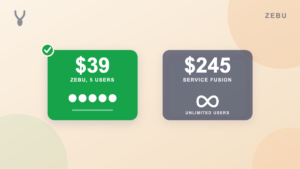
- The bill grows with every hire. Jobber prices per user, so each new team member nudges your monthly cost up.
- The features you want sit on higher tiers. Things like automation and client follow ups often live behind a bigger plan.
- You want one place for the whole business. Leads, quotes, scheduling, invoicing, payments, and marketing, all working together instead of piecing tools together.
If any of that sounds familiar, you are in good company. For a side by side look at what a crew like yours would pay, see our Jobber alternatives guide and the Zebu vs Jobber comparison.
Before you start: three simple habits
You do not need a big project plan. Three small habits will save you hours.
- Do not cancel Jobber yet. Keep the account active for at least 30 days, and longer if you have recurring clients booked further out. It is your safety net while everything settles.
- Export first, decide second. The reports take a few minutes to generate. Pull them now, even before you pick your next tool, so your data is safely on your own computer.
- Pick a quiet week. Moving the data is the easy part. Getting your crew comfortable in a new app is where you want your attention, so avoid your busiest stretch.
What to pull out of Jobber
Jobber lets you export your records as spreadsheet files. Head to the Reports area and download one file for each of these:
- Your clients
- Your jobs and visits
- Your invoices
- Your quotes
- Your products and services, which is your price book
Save them all in one folder on your computer. One friendly tip: try not to open and re save these files in a spreadsheet program before you move them. It is surprisingly easy to change something by accident, and the original files are the cleanest version of your business.
Two quick things to double check
You do not need to become a spreadsheet expert, but two small checks make a big difference.
Make sure your clients keep their service address. That is the address where your crew actually goes, and it is the one you will want in your new system. Take a quick look at a few clients afterward to confirm they landed with the right location.
Take a quick look at your unpaid invoices. After the move, glance over a handful of open invoices and confirm the balances match what you expect. It takes two minutes and gives you real peace of mind.
The order that keeps things simple
Everything in your business hangs off your clients, so that is where you begin.
- Clients first, because everything else connects to them.
- Jobs and visits second.
- Invoices third.
- Quotes fourth.
- QuickBooks last, if you use it. Connect it once your history is in place.
That is the whole recipe. If it feels like a lot, keep reading, because there is an easier way.
What about the jobs already on your calendar?
This is the question we get most, and it matters. Most established businesses have appointments booked weeks or even months out, plus recurring clients scheduled well past 30, 60, or 90 days.
Here is our simple advice, and it is the one rule to remember: every job should live on one calendar, never two.
- Keep your old account running until every service already on its calendar has been completed and closed out. Give it at least 30 days, and longer if you have recurring clients booked further ahead.
- Take every new lead and every new service in Zebu from day one. Do not add anything new to your old system.
That is it. Your old calendar winds down on its own while your new one fills up, and nobody on your team ever has to work from two places at once. If you have recurring clients and want help setting them up, just ask us. We are happy to walk you through it.
A few tips for a smooth switch
- Tell your crew the date. Pick one day when everyone starts working from Zebu, and make sure each person has logged in once before then.
- Update your links. Swap your booking link, request form, and any client portal links on your website and your Google Business Profile.
- Give it a couple of weeks. Then compare a few numbers, like a month of revenue and your open invoices, against what your old system showed. When they line up, you can cancel with confidence.
- Keep your clients in the loop. A short note saying “we have a new scheduling system” goes a long way. Most clients will not notice a thing beyond fresh looking invoices.
A realistic timeline
On your own, many single location businesses get their records over in an afternoon. The slowest part is usually waiting on your old software to generate the files. After that, plan on roughly 30 days of running both systems side by side, with new work going into Zebu and older work finishing up in Jobber, before you cancel.
Want us to do it for you?
If you would rather not touch a spreadsheet at all, we get it. Zebu offers a white glove migration. You send us your files, and our team brings everything over, checks that it all looks right, and walks you through the result.
It is included free on the Pro plan and available as an add on with the others. Either way, a real person owns the move from start to finish, so nothing important slips through.
Common questions
Can I take my data with me when I leave Jobber?
Yes. Jobber lets you export your clients, jobs, invoices, quotes, and products and services. Keep your account active while you move so the originals stay safe.
Will I lose my client history if I switch?
Not when you plan the move and let us help. Your clients, past jobs, quotes, and invoices can all come with you, and your old account stays untouched until you decide to cancel.
How long does switching from Jobber take?
Getting your records over often takes just an afternoon. Most businesses then run both systems side by side for about 30 days while existing jobs wrap up, and cancel once everything has closed out.
Do I need to cancel Jobber right away?
No, and we recommend you do not. Keep it for at least 30 days, and until every job already on its calendar is closed out. Take all new leads and services in Zebu during that time, then cancel when you are ready.
What if I have recurring clients booked months ahead?
Keep your old account until their last scheduled visit is complete, and take all new work in Zebu. We are happy to help you set your recurring clients up so nothing gets missed.
How much could I save by switching?
It depends on your crew size, because Jobber charges per user. Run your own numbers in the free software cost calculator, or see how the two compare in our Jobber alternatives guide.
Bring your business with you
Switching does not have to be scary. Start a free 14 day trial, no card required, and see your own business in Zebu before you decide anything. Choose the Pro plan and our team handles the whole migration for you at no extra cost.