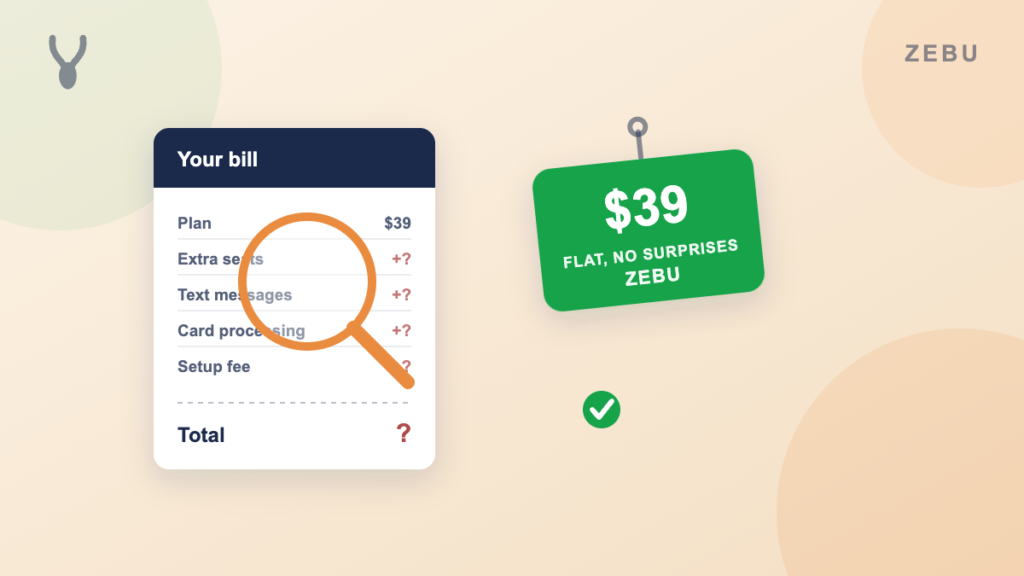
Ask nine field service companies what their software costs and you will get nine different answers, and most of them will be wrong. Not because anyone is lying. Because the number on the pricing page and the number on the actual invoice are rarely the same thing once you add a second user, a second phone line, or a card reader.
This is the honest version. What the major platforms actually charge in 2026, what changes as your crew grows, and the fees that show up after you sign up that nobody puts in the headline price.
The real starting price, five platforms at a glance
Most field service software is priced by team size, and most pricing pages only show you the number for one user. Here is what a five person crew, a common size for a small but growing service business, actually pays per month on each platform’s own published rate.
| Platform | Monthly price for 5 users | QuickBooks Online sync included at that price |
|---|---|---|
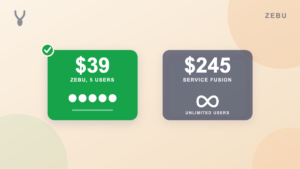
| Zebu | $39 | Yes, on every plan |
| Kickserv | $60 | Yes, Start plan |
| ZenMaid | $53 | Listed as coming soon, not a live feature |
| Jobber | $139 | Yes, Connect plan |
| Housecall Pro | $189 | Yes, Essentials plan, the lowest plan that includes it |
| Service Fusion | $245 | Yes, unlimited users on every plan |
| Workiz | Quote only | No published price above the free 2 user plan |
| FieldPulse | Quote only | Yes, no published rate |
| ServiceTitan | Often $1,250 or more, plus implementation | Yes, plus a broader accounting and ERP integration set |
A few things jump out. First, three of the nine do not publish a number at all once you are past a couple of users, which means the real price only shows up after a sales call. Second, QuickBooks sync, something most service businesses treat as table stakes, is not actually included on every plan of every platform. Housecall Pro’s cheapest plan, Basic, does not include it at all. You need the $189 Essentials plan just to get accounting sync.
What changes as your team grows
Per user pricing sounds simple until you actually add users. Some platforms include a generous number of seats in the base price and then charge a flat rate per extra person. Others charge close to full price for every additional seat. The gap between those two models gets wide fast.
| Platform | 1 technician | 5 technicians | 15 technicians | 30 technicians |
|---|---|---|---|---|
| Zebu | $39 | $39 | $89 | $159 |
| Jobber | $49 | $139 | Not published at this size | Not published at this size |
| Housecall Pro | $79 | $189 | $854 | $1,979 |
| Kickserv | $60 | $60 | $199 | Not published beyond 20 users |
| ZenMaid | $39 | $53 | $81 | $123 |
| Service Fusion | $245 | $245 | $245 | $245 |
| Workiz | Free | Quote only | Quote only | Quote only |
| FieldPulse | Quote only | Quote only | Quote only | Quote only |
| ServiceTitan | Quote only | Often $1,250 or more | Often $3,750 or more | Often $7,500 or more |
Two patterns worth calling out. Housecall Pro’s cost roughly multiplies with your team, from $79 for one user to nearly $2,000 a month for 30, because extra users are billed at $75 to $100 each above the plan’s included seats. Service Fusion goes the other direction and stays completely flat at $245 a month regardless of team size, because it includes unlimited users on every plan. If you are a genuinely large crew, that flat number can actually beat a per seat platform. If you are five people, paying $245 for unlimited seats you are not using is not a discount.
Zebu sits in the middle on structure, a flat plan price that includes a real number of seats (5 on Starter, 15 on Growth, 30 on Pro), with extra users above that at $7 a month each. The full breakdown by team size, updated live, is in the free cost calculator, which runs the same numbers on this page for every size from 1 to 30 technicians.
The hidden costs the pricing page does not show you
The plan price is rarely the whole bill. Here is what regularly gets added on top, and how each platform in this comparison handles it.
Extra users. Almost every platform charges per additional seat once you are past whatever the plan includes. The rate varies enormously, from $7 a month on Zebu to $75 to $100 a month on Housecall Pro. Before you sign up anywhere, ask what the exact per seat rate is once you hire your next person, not just what the starting plan costs today.
Text messaging. Several platforms bill SMS credits separately from the subscription price. ZenMaid includes automated reminders but charges SMS separately from the plan price. Workiz bundles phone lines and SMS credits into its custom quote, on top of the base plan. If two way texting with clients matters to your operation, ask whether it is included or metered before you compare a monthly number.
Payment processing. Every platform in this comparison that takes card or ACH payments runs that through a real payment processor, and every processor charges a percentage per transaction, on top of the software subscription. Zebu’s own rate is a standard Stripe rate with no markup. Ask any vendor what percentage they take on a card payment and whether there is a separate rate for ACH, because that fee is invisible on a monthly pricing page but adds up fast on a business that collects most of its revenue by card.
Implementation and onboarding fees. This is where the gap gets largest. ServiceTitan, the enterprise option in this list, commonly adds implementation fees running from several thousand to tens of thousands of dollars on top of its per technician monthly rate, with onboarding measured in months rather than days. Every other platform in this comparison, Zebu included, has a self serve signup with no implementation fee and no sales call required to get a number.
Marketing and automation add ons. Automated client reminders, on my way texts, job follow ups, and booking confirmations sit on higher tiers for several platforms in this list, or cost extra as a separate add on, rather than being included at the entry price. Zebu includes this on every plan, but it is worth checking for any platform you are evaluating, since “automation” is one of those words that means very different things depending on which plan you are actually paying for.
Data migration. Moving your client list, job history, and past invoices to a new platform can be a real cost of its own if a vendor charges for it or leaves you to do it by hand. If migration matters to your decision, our own guide to switching field service software without losing your data covers exactly what that move looks like.
What you actually get for the price
Cheaper is not automatically better if the cheap plan is missing something you actually need day to day. Here is what tends to separate an entry price from what a small crew realistically uses.
- QuickBooks Online sync. Covered above, but worth repeating. Not every entry plan includes it, and the platforms that gate it behind a higher tier tend to gate it behind the most expensive jump in this whole comparison.
- A real dispatch board. A calendar view is not the same as drag and drop dispatch with actual driving routes between stops. Most platforms in this list have some version of scheduling. Fewer have real route calculation built in.
- An offline capable technician app. A tech in a basement or a rural service area with no signal needs a mobile app that still works. This varies a lot by platform, and it rarely shows up on a comparison chart until a job actually goes wrong in a dead zone.
- A customer portal and online booking. Letting a client see their own quote, approve it, pay an invoice, or book their own appointment online without a phone call is either included, an upsell, or missing entirely, depending on the platform.
- A sales pipeline and email marketing. These sit outside the core job cycle of quote to invoice, so they are the first things to get pushed to a higher tier or a paid add on across most of this comparison.
If your business genuinely does not need one of these, do not pay for a plan built around it. If you do need it, check which tier actually includes it before you compare two starting prices that look close on paper.
A simple way to estimate your real monthly cost
Skip the marketing page and do this math instead.
- Start with the plan that fits your team size today, not the cheapest single user price, since that is rarely what you will actually pay once you add people.
- Add the per seat cost for anyone above what the plan includes, using the vendor’s real published rate, not an estimate.
- Add payment processing as a percentage of what you actually expect to collect by card each month, since that is real money leaving your account even though it never shows up on the subscription invoice.
- Add anything metered separately, like SMS credits, that is not part of the flat plan price.
- Add any one time cost, like implementation or migration, divided across the months you expect to be on the platform, so it is comparable to a monthly number.
Run through that once for each platform you are seriously considering and you will end up with a real number instead of a marketing number. The free field service software cost calculator does the first two steps automatically for every team size from 1 to 30, using each vendor’s own published rates. Once you are running real jobs, the separate job price and margin calculator does the same honest math on what to actually charge a customer.
So what should you budget for in 2026
For a solo operator or a two person team, expect to pay somewhere between free and around $80 a month for a genuinely capable platform, and QuickBooks sync should be part of that price, not an upsell.
For a five to ten person crew, the honest range across this comparison runs from around $40 a month to well over $200 a month for the same headcount, depending entirely on how the vendor charges for extra seats and what is bundled into the plan versus sold separately.
For a 15 to 30 person operation, per seat pricing starts to punish you hard on some platforms, where the same team can cost anywhere from under $200 a month to nearly $2,000 a month depending on the vendor. At that size, it is worth specifically asking any vendor what happens to the price at 20, 25, and 30 users, not just what the plan costs today.
Past roughly 20 technicians with a call center and multi location operation, enterprise platforms like ServiceTitan start to earn their much higher price with reporting depth and phone tooling that smaller platforms do not try to match. Below that size, most businesses are paying enterprise implementation fees for tools they will not fully use.
Frequently asked questions
How much does field service software cost per month in 2026? It depends heavily on team size and vendor. A solo operator can pay as little as free to around $80 a month. A five person crew typically pays somewhere between $40 and $250 a month depending on the platform, and a large operation with call center needs can run into the thousands once implementation fees and per technician charges are included.
Do field service management platforms charge per user? Most do, but the structure varies a lot. Some include a set number of users in the base plan and charge a flat rate per extra seat, commonly $7 to $30 a month. Others price close to full cost for every additional user, which can make the total bill multiply quickly as a crew grows. A small number of platforms include unlimited users on every plan for one flat price.
What is the cheapest field service software for a small business? Among platforms that publish real pricing, Zebu starts at $39 a month and includes 5 users, QuickBooks Online sync, automation, and a customer portal at that price. Kickserv and ZenMaid are also in a similar low range for a small crew, though ZenMaid does not yet have a live QuickBooks sync.
Are there hidden fees in field service software pricing? Often, yes. The most common ones are per seat charges once you pass the included user count, payment processing fees on card and ACH transactions, SMS credits billed separately from the plan price, and implementation or onboarding fees on enterprise platforms. Always ask about all four before comparing a single monthly number.
Does field service software include QuickBooks sync, or is that extra? It varies by vendor and sometimes by plan. Several platforms, including Zebu, Jobber, Kickserv, and Service Fusion, include QuickBooks Online sync on their entry plan. Others, like Housecall Pro, only include it starting on a much higher tier. Confirm this specifically rather than assuming it is included, since it is one of the more expensive gates in this whole comparison.
How much does it cost to switch field service software? The switching cost is mostly time, not money, at most vendors, since importing a client list and job history is usually included as a standard feature. Some vendors offer a hands on, white glove migration done by their own team, which can be included free on a higher plan or offered as a paid add on elsewhere. Our own guide to switching without losing your data covers what that process actually involves.
Zebu publishes every plan’s real price with no sales call required, includes QuickBooks Online sync, automation, and a customer portal starting on the $39 a month Starter plan, and has no implementation fee. See the full pricing breakdown, or run your own team size through the cost calculator to see exactly where you land.